
Developer announcement
Published
COMRAD #28
Announcement from the official source. The source describes the changes; your server installation status is shown separately in the update center.
Game updates, plugin versions and improvements to our interface with a traceable history.
Recorded, available and installed are different states. Your actual installation status and suitable updates are shown in the server panel.
Announcement from the official source. The source describes the changes; your server installation status is shown separately in the update center.
The guided tools were revised in the shared panel code. The entry concerns the interface or its processing. The date records the change; availability on an individual server depends on the game, software, plugins and permissions.
Announcement from the official source. The source describes the changes; your server installation status is shown separately in the update center.
No independent plugin compatibility test is documented for this announcement. Check the affected plugins in the update center before changing game versions.
The guided tools were revised in the shared panel code. The entry concerns the interface or its processing. The date records the change; availability on an individual server depends on the game, software, plugins and permissions.
The guided tools were revised in the shared panel code. The entry concerns the interface or its processing. The date records the change; availability on an individual server depends on the game, software, plugins and permissions.
The guided tools were revised in the shared panel code. The entry concerns the interface or its processing. The date records the change; availability on an individual server depends on the game, software, plugins and permissions.
The guided tools were revised in the shared panel code. The entry concerns the interface or its processing. The date records the change; availability on an individual server depends on the game, software, plugins and permissions.
The guided tools were revised in the shared panel code. The entry concerns the interface or its processing. The date records the change; availability on an individual server depends on the game, software, plugins and permissions.
Announcement from the official source. The source describes the changes; your server installation status is shown separately in the update center.
The guided tools were revised in the shared panel code. The entry concerns the interface or its processing. The date records the change; availability on an individual server depends on the game, software, plugins and permissions.
The definition of visible startup parameters changed in the panel code. The listed values explain added, changed and removed fields. The date records the definition change; existing server values were not automatically changed by it.
Supported server software: Arma Reforger
QUERY_PORT
Steam A2S query port (config.json a2s.port). Wired to the second allocation by CreateServerJob.
After
The definition of visible startup parameters changed in the panel code. The listed values explain added, changed and removed fields. The date records the definition change; existing server values were not automatically changed by it.
Supported server software: Arma Reforger
ADMIN_PASS
After
AUTO_JOINABLE
Set if the session can be selected through the auto join feature.
After
AUTO_UPDATE
Quickly checks for any server or mod updates on startup, and updates if necessary.
After
BATTLEYE
Enables the anti-cheat engine on the server and requires all clients to be running it.
After
DISABLE_THIRD
After
LOG_INTERVAL
How often (in seconds) to log the FPS and other debug stats to the console. Set to 0 to disable.
After
MAX_FPS
Sets a maximum FPS limit for the server, saving performance in some cases. Leave empty for no limit.
After
MAX_PLAYERS
Maximum number of players allowed to join the server.
After
REGION
Region listed in the server browser. ISO 3166-1 alpha-2 codes can be used in this field.
After
SCENARIO_ID
ID of scenario to run/play. Valid IDs can be viewed in the console upon startup of the server.
After
SERVER_NAME
Name displayed in the server browser.
After
SERVER_PASS
Password required for clients to enter before they can join the server. Leave empty to have no password.
After
VALIDATE
"true" to enable; empty to disable. Validates all server files when Automatic Updates is enabled. Note: This will significantly increase server startup times, so it is recommended to only enable this when needed.
After
VISIBLE
Set the visibility of the server in the Server Browser.
After
Announcement from the official source. The source describes the changes; your server installation status is shown separately in the update center.
The guided tools were revised in the shared panel code. The entry concerns the interface or its processing. The date records the change; availability on an individual server depends on the game, software, plugins and permissions.
The guided tools were revised in the shared panel code. The entry concerns the interface or its processing. The date records the change; availability on an individual server depends on the game, software, plugins and permissions.
The guided tools were revised in the shared panel code. The entry concerns the interface or its processing. The date records the change; availability on an individual server depends on the game, software, plugins and permissions.
Announcement from the official source. The source describes the changes; your server installation status is shown separately in the update center.
Announcement from the official source. The source describes the changes; your server installation status is shown separately in the update center.
No independent plugin compatibility test is documented for this announcement. Check the affected plugins in the update center before changing game versions.
Announcement from the official source. The source describes the changes; your server installation status is shown separately in the update center.
The guided tools were revised in the shared panel code. The entry concerns the interface or its processing. The date records the change; availability on an individual server depends on the game, software, plugins and permissions.
The image shows the interface on its capture date; earlier versions may differ.
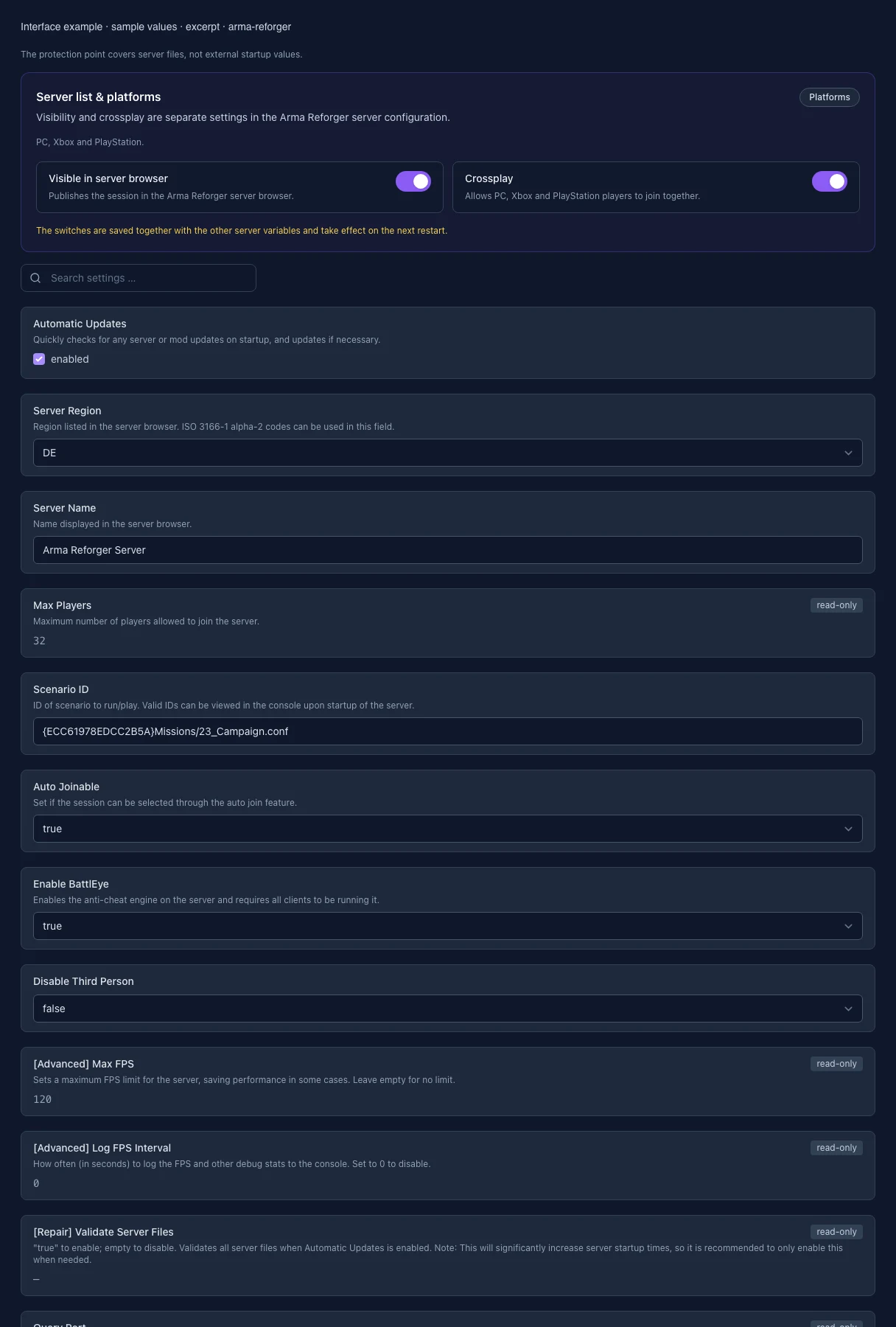
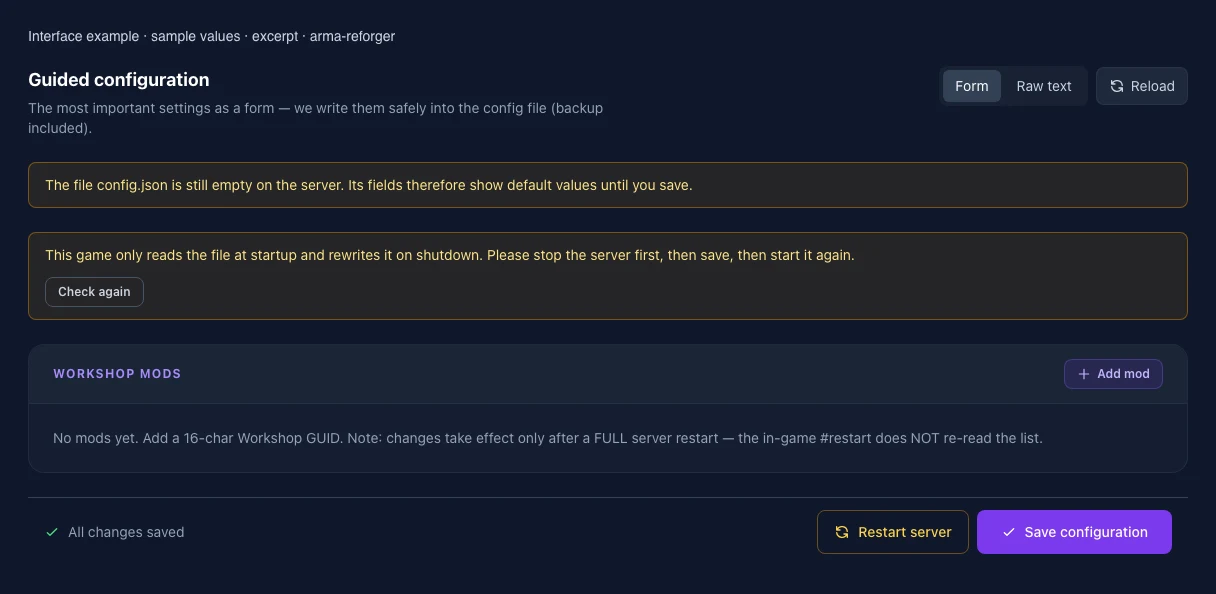
These values come from our guided editors. Defaults are the editor starting values; they do not show the contents of a customer server.
Quickly checks for any server or mod updates on startup, and updates if necessary.
This legacy egg setting is not connected to the current server config and is therefore read-only.
Name in the server browser. Up to 100 characters; Unicode and special characters are allowed.
Your plan determines the maximum player count. This value is read-only.
Format: {16-character uppercase GUID}path/to/mission.conf. Copy the scenario ID from the game or Workshop; characters outside the Enfusion resource path are invalid.
The current game version does not support this legacy setting. It has no effect and is read-only.
Controls whether the server appears in the relevant public server browser.
Allows supported platforms to play together on this server.
Protects public servers against known cheats; every client must support it.
Prevents the third-person camera for every player.
Limits the server frame rate to reduce CPU load. This diagnostic value is read-only.
Interval in seconds for FPS and statistics messages. 0 disables them. This value is read-only.
Checks installed files during automatic updates and slows down startup. An empty value means disabled. This repair setting is read-only.
UDP port for A2S player queries. Assigned automatically and read-only.