Your resources at a glance.
RAM, CPU limit and storage appear alongside your configuration. Leave room for mods and larger worlds.
Game on. Together.
The long nights. The wild builds. The next adventure with your friends. Give them a world of their own.

See every game
Choose your game and the configuration for your next session. Compare RAM, storage and prices before you decide.
From 3.08 EUR / month

From 6.32 EUR / month

From 3.58 EUR / month
From 10.61 EUR / month

From 6.78 EUR / month

From 7.59 EUR / month

From 18.40 EUR / month

From 11.66 EUR / month
From 2.96 EUR / month

From 2.69 EUR / month

From 3.69 EUR / month

From 9.32 EUR / month

From 8.40 EUR / month

From 22.05 EUR / month

From 14.56 EUR / month

From 5.29 EUR / month
From 2.69 EUR / month
From 2.69 EUR / month

From 9.69 EUR / month
From 5.30 EUR / month

From 22.77 EUR / month

From 8.92 EUR / month
From 3.17 EUR / month
From 2.69 EUR / month

From 9.79 EUR / month

From 4.05 EUR / month
From 4.58 EUR / month
From 7.59 EUR / month

From 9.32 EUR / month

From 3.98 EUR / month

From 18.34 EUR / month

From 9.32 EUR / month

From 4.59 EUR / month

From 7.07 EUR / month
From 9.32 EUR / month

From 2.69 EUR / month

From 3.18 EUR / month
From 5.99 EUR / month

From 2.98 EUR / month

From 4.69 EUR / month

From 4.69 EUR / month

From 10.93 EUR / month
No games match your search.
Monthly starting price. Your final price is shown before checkout.
Hardware & resources
Processor, RAM, CPU limit and storage: compare the details for your game and selected location before ordering.
RAM, CPU limit and storage appear alongside your configuration. Leave room for mods and larger worlds.
Check the term, applicable discounts and total before purchasing.
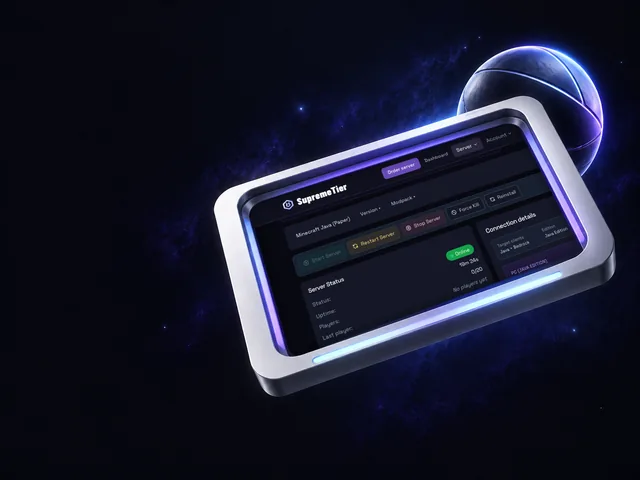
Manage your server through the panel. Available features depend on your game and package.

Hardware & resources
For every plan, the configurator shows you before you order:
Your panel in the browser
Console, files and backups in your browser. Change your world without leaving it behind. Available features depend on your game and configuration.
Your own server in three steps
Pick your game, put together the resources for your group and see the price before you order. After payment and setup, you manage your server in the panel and bring your people in.

Start with the world you want to play in. Search the catalog by name or filter by genre; every game comes with a RAM or slot recommendation as a starting point. With a modpack, you can start directly from Modrinth or CurseForge.

Set RAM, location and billing period in the configurator, and depending on the game also the version, server type or first game rules. The price summary stays with you until you order: you see the term, applicable discounts and total price before you buy.

After payment and setup, you find the address and connection details in your customer area. Share them with your group; you manage the console, files and backups in your browser. Which features are available depends on the game and your configuration.
Choose your game and plan your next shared world.